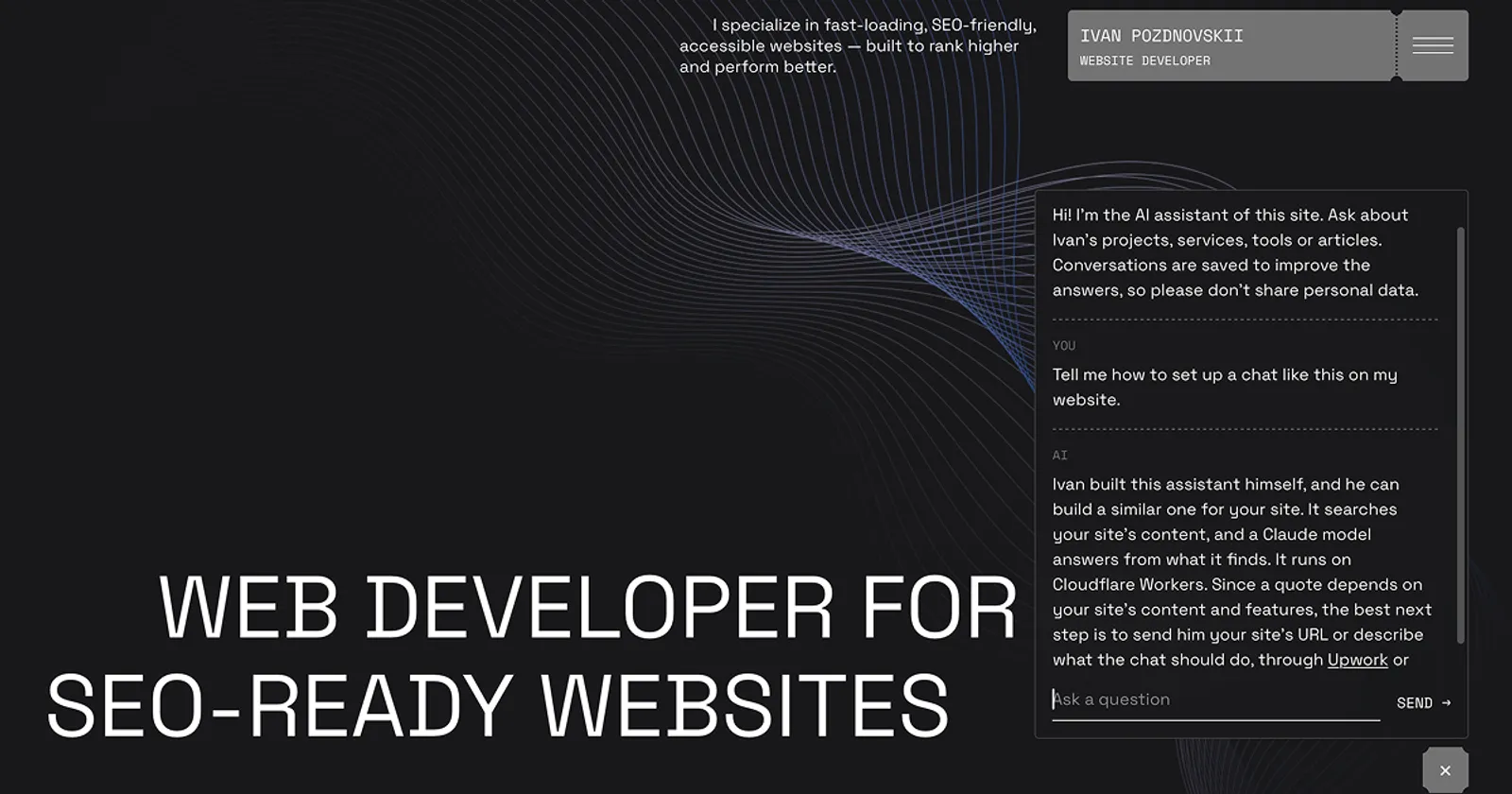
Most visitors who have a question don't fill in a contact form. They want to know the price, the timeline, or whether you do the thing they need, and if the answer isn't on the page, they close the tab.
I wanted to see what an AI chat can do about that, so I added one to this site as a test and a demo. You can try it: the button is in the corner of every page.
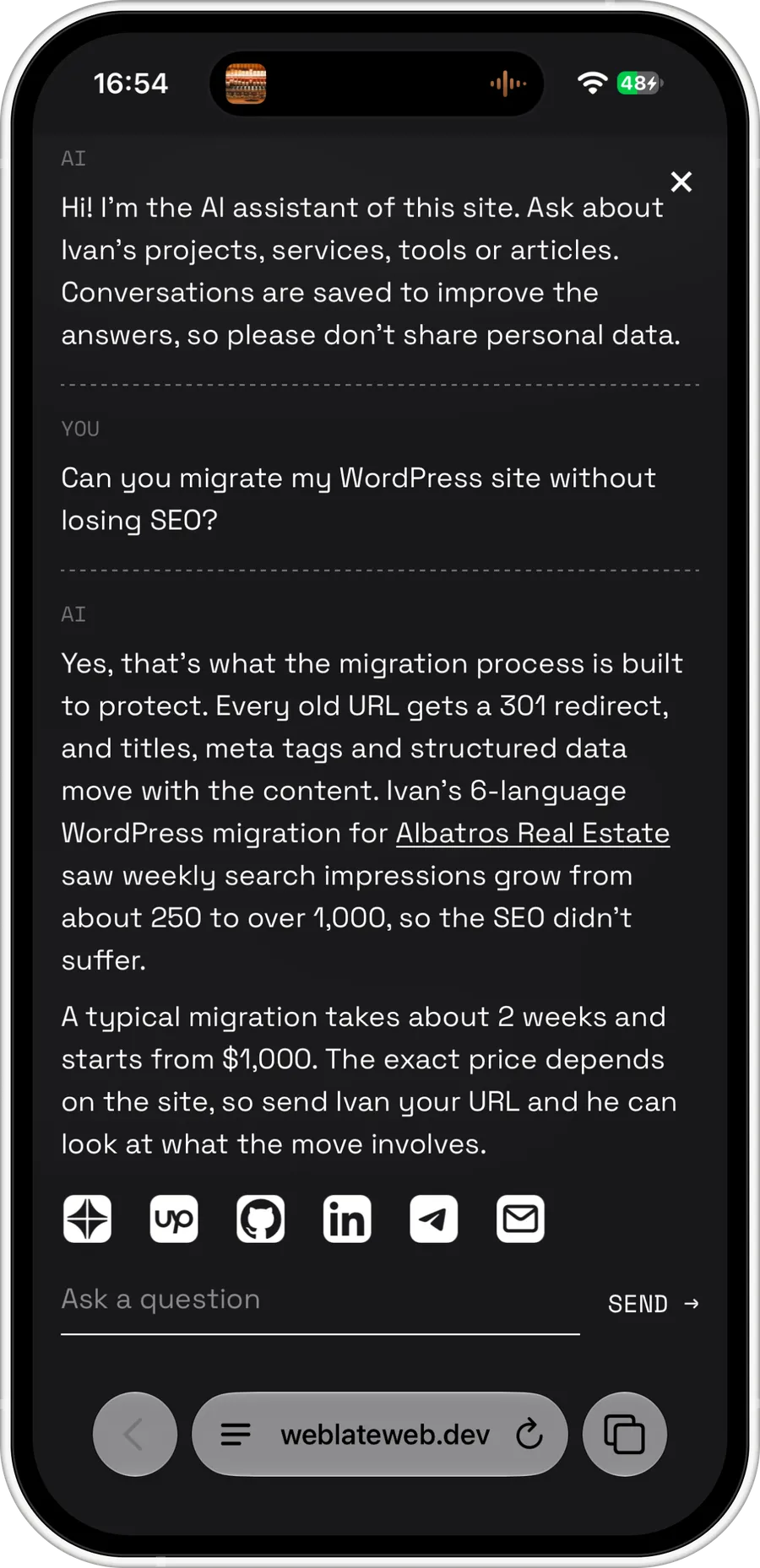
In the screenshot, a visitor asks about moving a WordPress site without losing search traffic. The chat answers with a real example from my WordPress to Sanity migration for a real estate agency, gives the price and timeline, and offers the contacts.
What the chat does
- It answers from the site's own content. Services, projects, prices, reviews, articles: the chat reads the same texts a visitor would, and it doesn't make things up. When the site doesn't cover a question, it says so and shows how to get in touch.
- It speaks the visitor's language. Someone asks in Spanish, Bulgarian or Russian and gets an answer in that language, even when the site's text is in English.
- It leads to a conversation with you. When a visitor is ready to talk, the chat shows the contact buttons right under the answer, the same ones as on the rest of the site.
- It keeps it short and friendly. A few sentences, like a person in a chat, not a wall of text. Ask it something off-topic and you'll get a joke instead of a refusal.
You update it by editing your site
There's no separate bot to train. The chat reads the content from the same CMS (Sanity) where the site's texts live. Change a price or add a service, and a few minutes later the chat answers with the new information. No developer needed.
How you know it's working
This is the part I find most useful. Every conversation is saved and scored automatically, once a day:
- a score from 1 to 10: how well the visitor's question was answered;
- the visitor's mood: positive, neutral or negative;
- content gaps: what the visitor asked that the site had no answer for.
The first round of questions on my site scored low, and the gaps were telling. Visitors asked whether I sign an NDA, whether I do hosting, and how much a migration costs. The answers existed in my head, but not on the site. I added them and asked the same questions again.
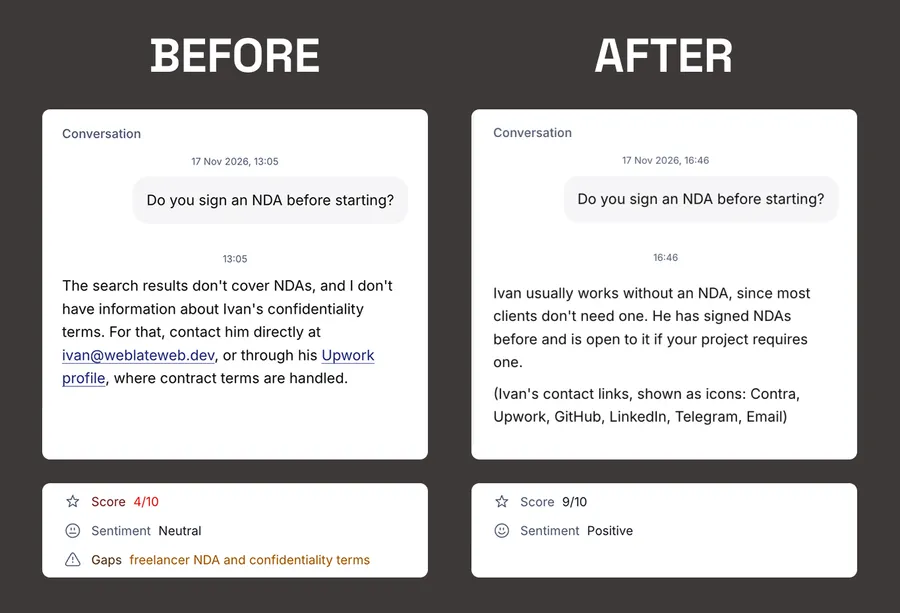
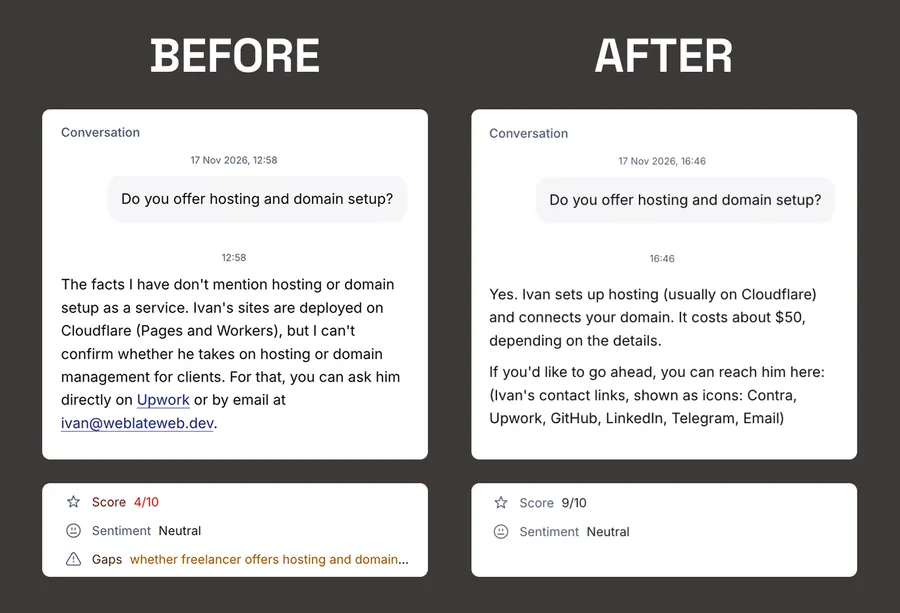
So the chat helps with more than visitors' questions: it shows you what to write next. Every gap it finds is a question real people have and your site doesn't answer, and that's useful for search engines too.
Privacy and cost
The chat tells every visitor in its first message that conversations are saved to improve the answers, and asks them not to share personal data. It only knows what's published on the site, nothing else.
It runs on a fast, inexpensive AI model. One answer costs about a tenth of a cent, and a whole conversation, including its daily score, costs less than a cent. Limits protect it from abuse, so a bot can't run up the bill.
Who it's for
It works best where clients ask the same questions before they get in touch:
- service businesses and agencies: prices, timelines, what's included;
- real estate: areas, property types, how buying works;
- clinics, schools, studios: services, schedules, booking;
- any site in several languages, where the chat answers in all of them.
If your site gets questions you keep answering by email, a chat like this can answer them first, and the gaps it finds tell you what's worth adding to the site.
Try the chat on this page, or get in touch to talk about one for your site:
FAQ
- Does the chat make things up?
- It answers only from your site's content. When the content doesn't cover a question, it says so and points the visitor to your contacts.
- Can I change what the chat says?
- Yes. Edit the text on your site, and the chat uses the new version within minutes.
- Which languages does it support?
- It answers in the visitor's language, even when your site is in one language only.
- How much does it cost to run?
- Less than a cent per conversation, including the automatic quality score.
- Are conversations stored?
- Yes, to improve the answers. Visitors are told about it in the chat's first message.